
Peptide Calculator
Use our Peptide Calculator below to calculate accurate dosages for administering peptides using a syringe. Simply select your parameters, and our calculator will give you the results.
Draw & dose calculator
Pick your dose, the strength of your vial and how much bacteriostatic water you mixed in. We'll show you the mark to draw to on a 100‑unit syringe.
Dose of peptide
How much you want per injection.
Peptide strength
The total mg printed on your vial.
Common strengths: BPC‑157 10 mg, NAD+ 1000 mg
Bacteriostatic water
How much you mix into the vial.
Common amounts: GLP‑1s 2–3 mL, peptides 3 mL, NAD+ 5 mL
Every figure here is worked out from the three values you picked. Follow the directions supplied with your product.
How To Calculate
Step 1:
Set Your Dose
Choose your intended dose in micrograms (mcg): This is the amount of peptide you plan to inject each time. This step helps th calculator determine how concentrated your solution needs to be. For instance, if you need a specific dose, the calculator can tell you how much of the mixed solution you need to use to get that dose.
Step 2:
Enter Your Peptide Strength
Enter the peptide strength in your vial. You can select a common amount, such as 1mg, 5mg, 10mg, or 15mg. If your amount isn’t listed, you can manually type in the exact amount. This step is important because it helps the calculator know the total amount of peptide available for dilution, which is necessary for accurate dose calculation.
Step 3:
Add Your Water Volume
Decide on the volume of bacteriostatic water for mixing:Bacteriostatic water is sterile water that contains a small amount of antibacterial agent to keep the solution free from bacteria. The volume of water you add affects the concentration of the peptide solution. Enter the amount of water in milliliters (mL). For example, if you add 2mL of water, it will be recorded in the calculator. Adding more water dilutes the peptide, making each milliliter of solution contain less peptide. Conversely, adding less water makes the solution more concentrated.
Step 4:
Check the Visual Dosage Meter
Review the visual dosage meter to get your results: After entering all the information, the calculator will display a visual meter along with your results.
You can read the peptide dose in mg, the concentration in mg/mL, and how many doses are contained in a vial. Most importantly, the results tell you how many units to draw the syringe to.
The visual meter shows you how much of the solution you need to draw up in your syringe to get the correct dose.
Remember that 100 units on the syringe equals 1mL. This visual aid makes the process straightforward and reduces the chance of errors. Simply pull the syringe as far as the image indicates, and you will have the correct dosage ready to go.
Shop Peptides
-
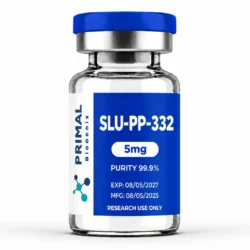
SLU-PP-332
$129.99 -
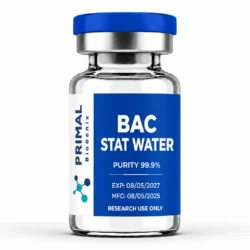
BAC STAT H2O
$20.00 -
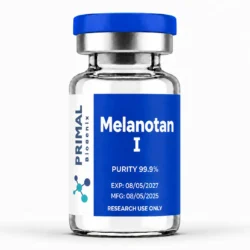
Melanotan I
$59.99 -
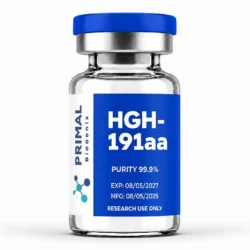
HGH-191aa
$349.00 – $879.00Price range: $349.00 through $879.00 This product has multiple variants. The options may be chosen on the product page -
PT-141 10mg
$59.99